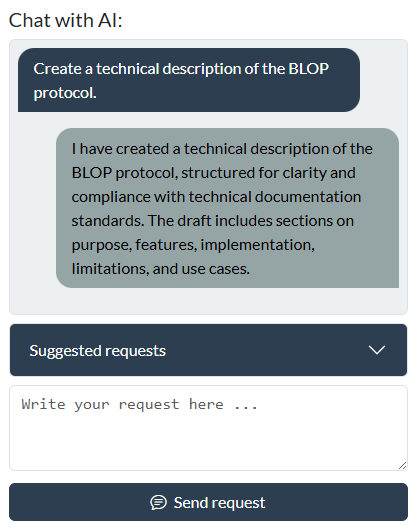
Chat with AI
The chat feature enables you to interact with an artificial intelligence assistant to create, modify, or review a document. You can request new drafts, update existing documents, or ask for feedback on your content. The AI can clarify requirements, suggest improvements, and help ensure your documentation meets professional standards.
You can communicate with the AI in a conversational manner. The AI will respond with clear, structured drafts or guidance based on your input. You may specify particular needs, such as formatting preferences, terminology, or compliance with specific documentation guidelines.
Suggested requests
This section provides example requests to help you interact effectively with the AI assistant. Each example demonstrates a typical way to create, edit, or review documentation.
Processing full documents:
- Create a user guide for the new software release.
- Edit this installation manual for clarity and conciseness.
- Suggest improvements to this draft.
Adjusting details or sections:
- Review this troubleshooting section and suggest improvements.
- Add a warning notice about electrical hazards.
- Summarise the key steps for system configuration.
Scoping:
- Localise for the U.S market.
You may also request the AI to clarify documentation standards, explain technical terms, or provide best practices for writing effective documentation.
Content translation
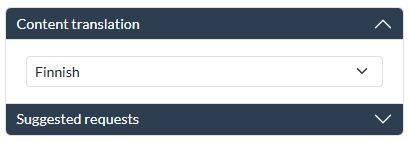
The content translation section allows you to select a target language for the AI to translate the current draft.
Note
Selecting a target language does not send it automatically. You can review and edit the prompt before submitting, for example for a specific dialect.
Note
The list covers only the most common European languages. All translations are AI-generated, and additional languages can be translated on request.
Suggested requests
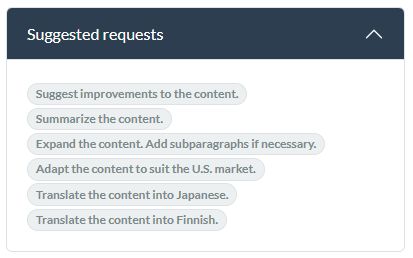
The suggested requests section contains sample prompts that demonstrate typical ways to interact with the AI assistant.
Note
Clicking a suggested request does not send it automatically. You can review and edit the prompt before submitting.